CC Switch
通过配置URL、API key、Model ID方式接入AICodeWith服务
CC Switch
1.下载
下载页面需要能访问外网
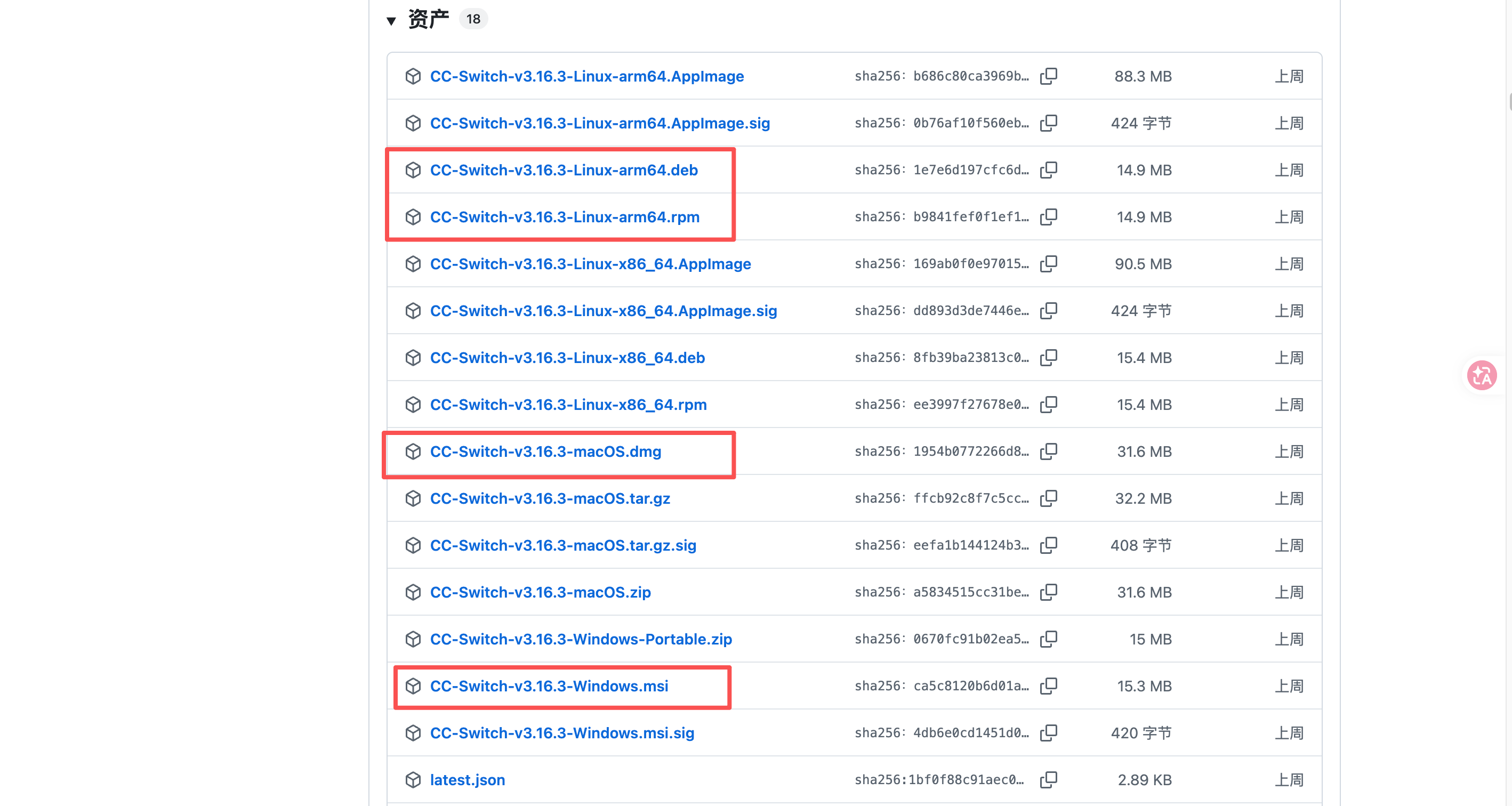
1.安装包下载地址:https://github.com/farion1231/cc-switch/releases,根据您电脑系统选择对应下载链接
2.启动
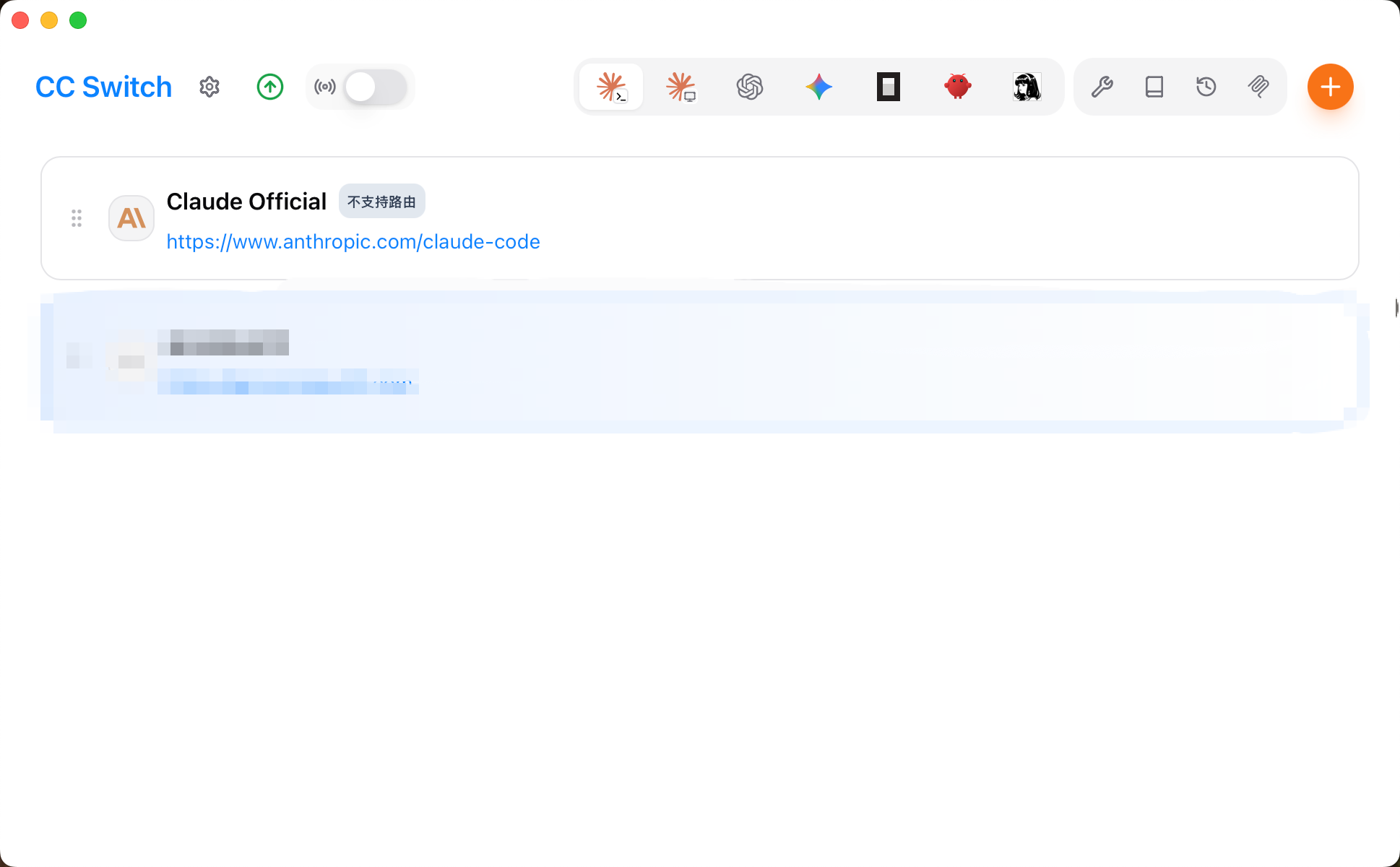
1.安装完成后启动 CC Switch
3.配置
1.Claude
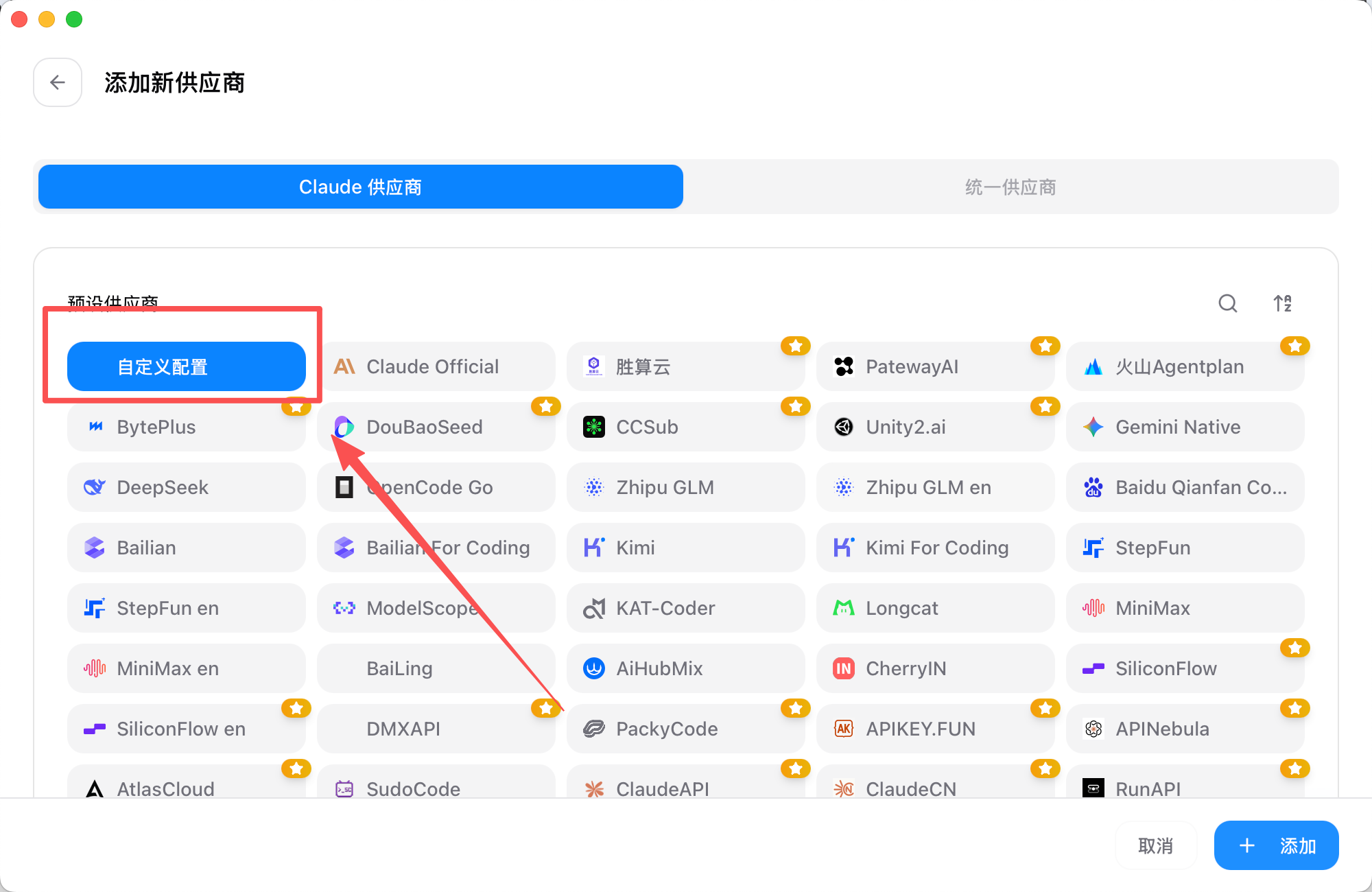
1.添加供应商
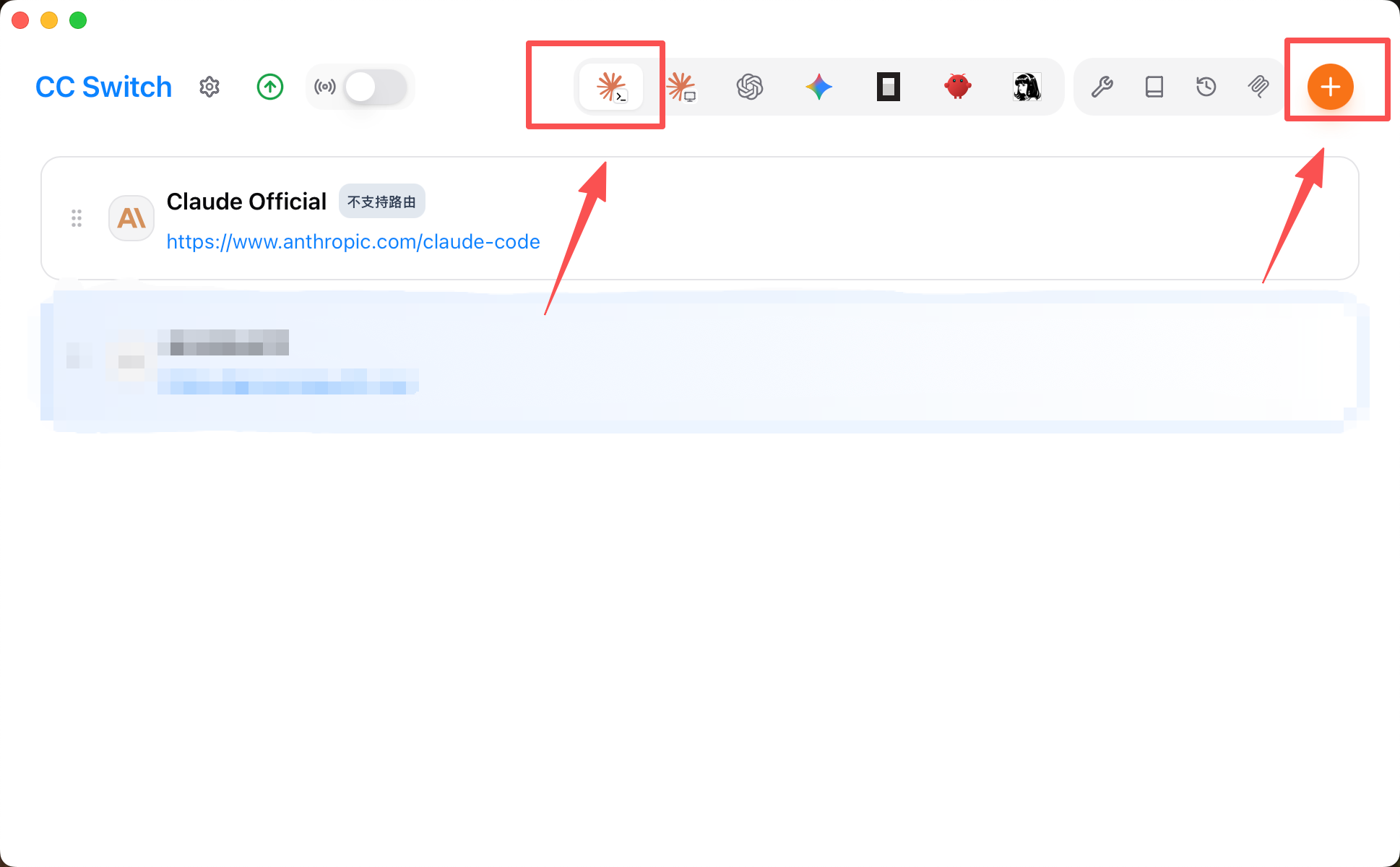
2.选择“自定义配置”
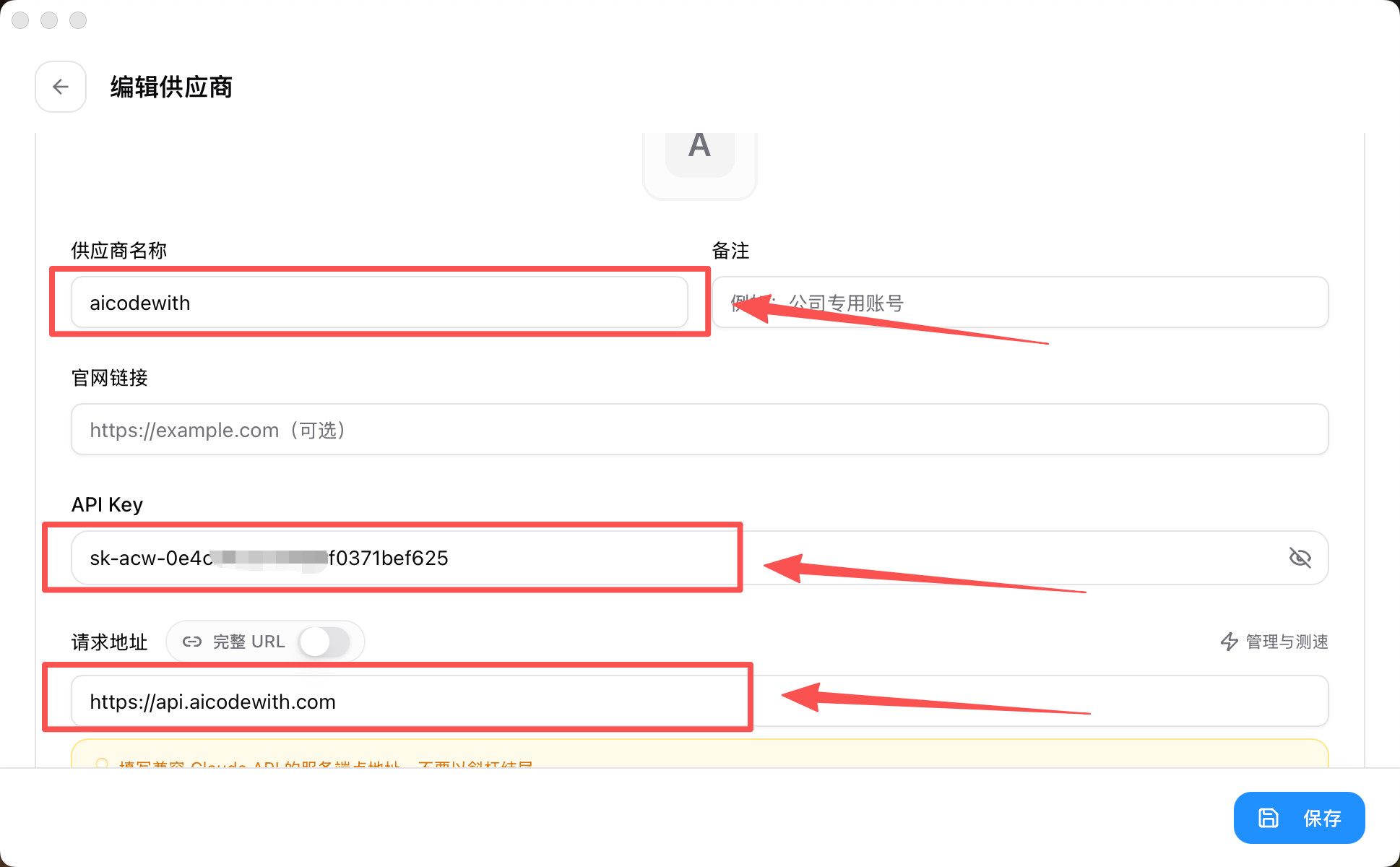
3.API key获取:https://aicodewith.com/zh/dashboard/api-keys
URL:https://api.aicodewith.com
供应商名称:aicodewith
注意API key是如图样子的
去创建key https://aicodewith.com/zh/dashboard/api-keys
粘贴完整的key
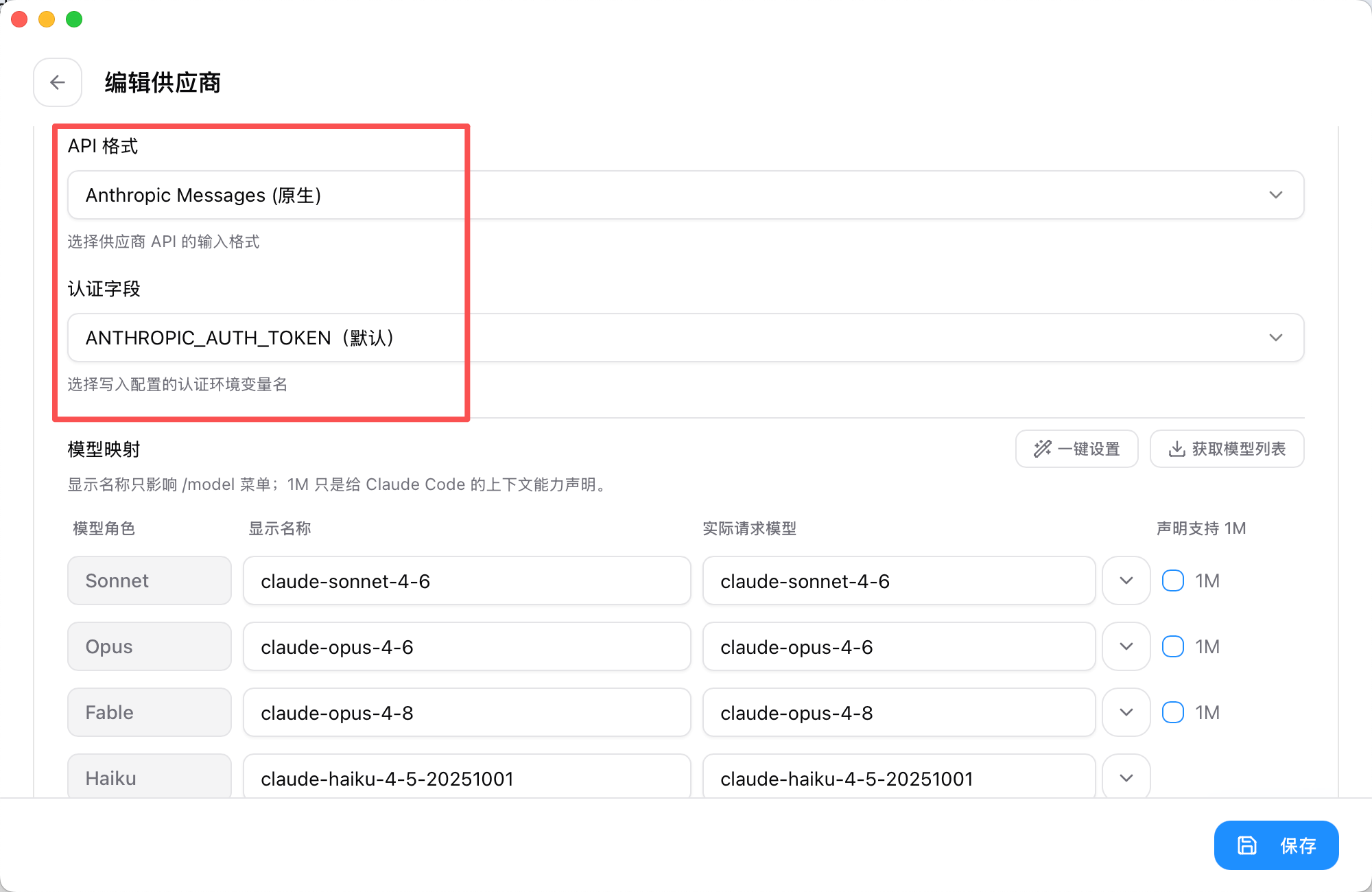
4.高级选项
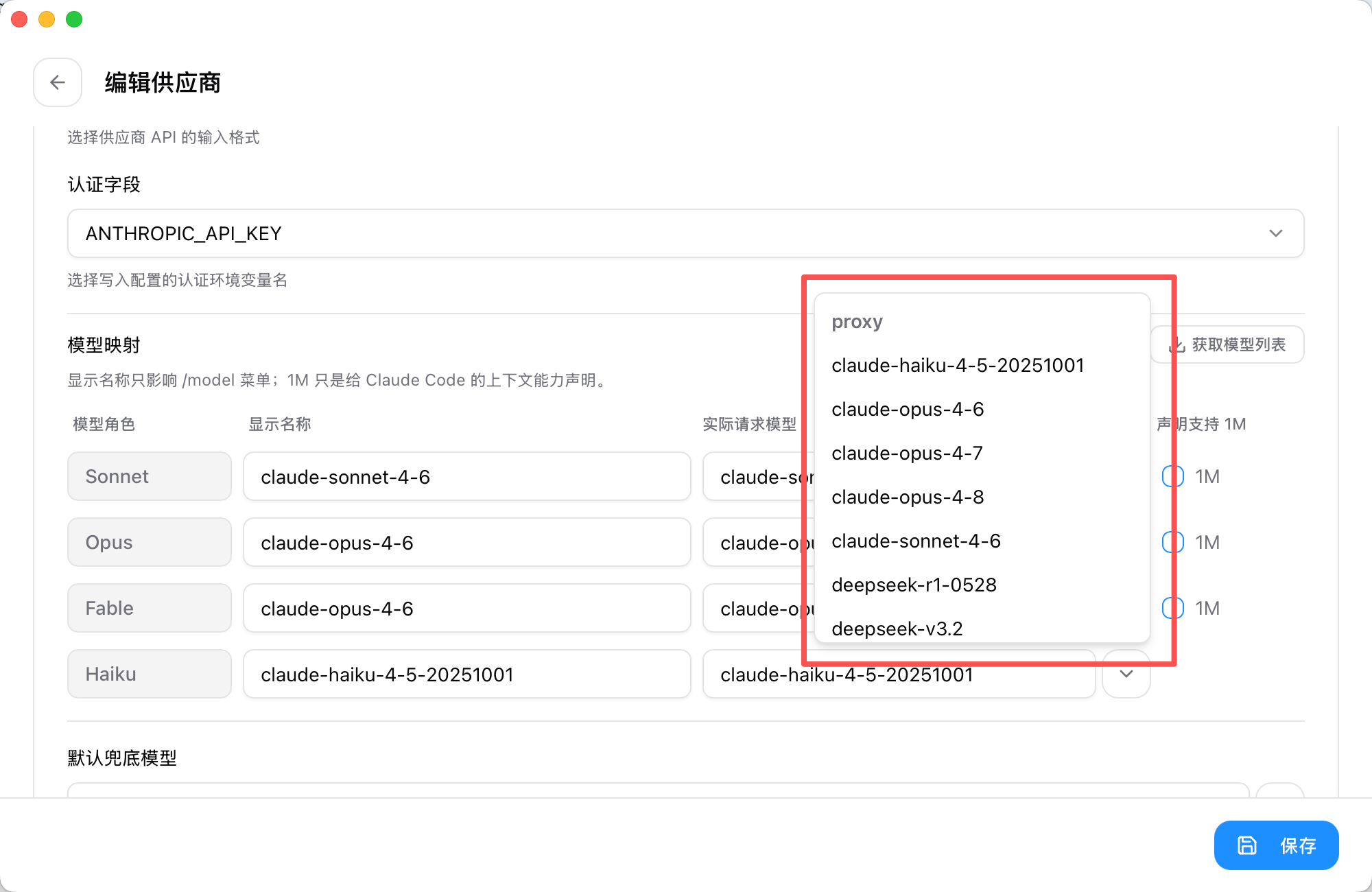
5.模型映射选择“获取模型列表”
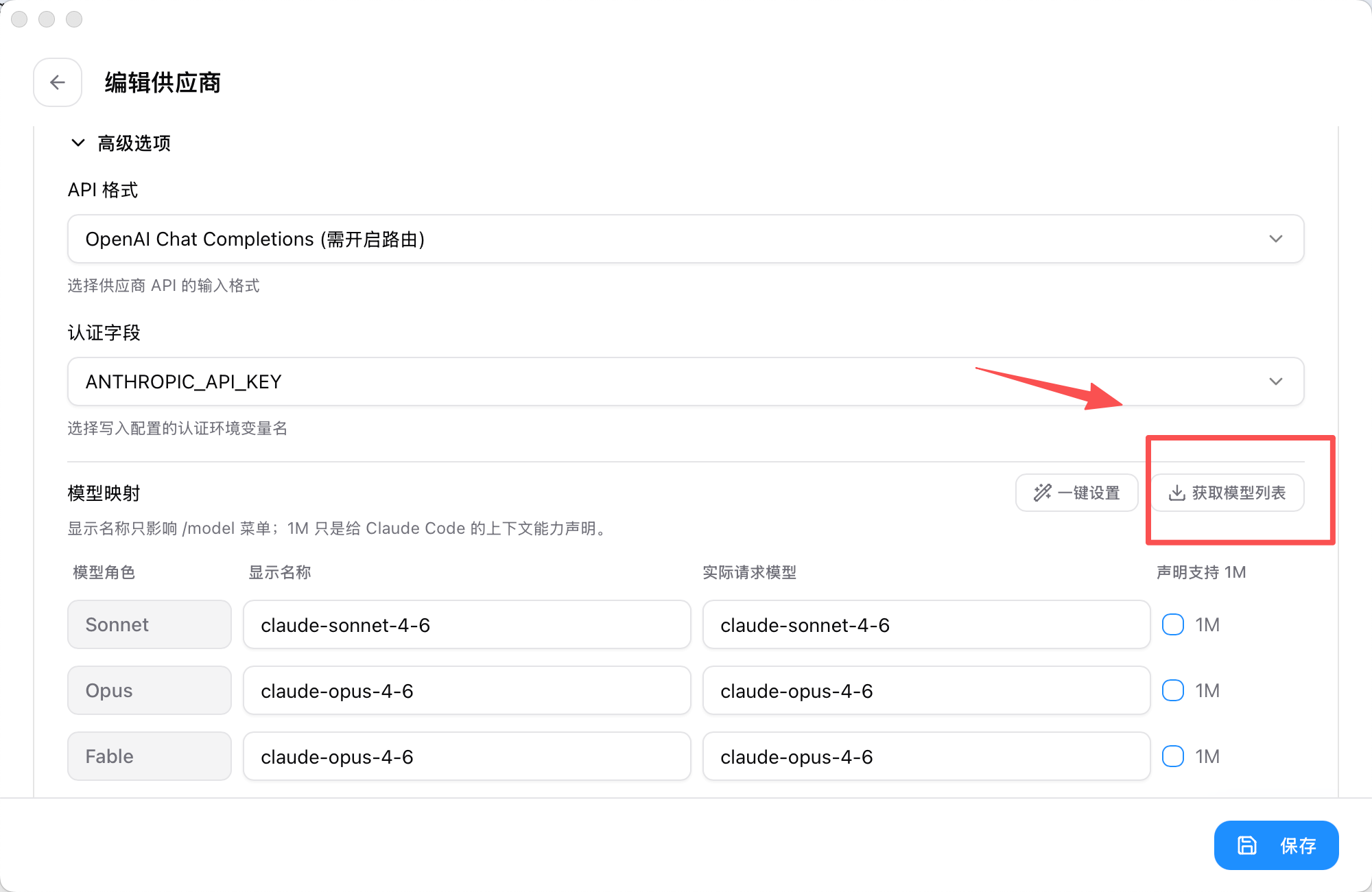
6.“实际请求模型”对应选择就好,“显示名称”不变或对应模型简称即可
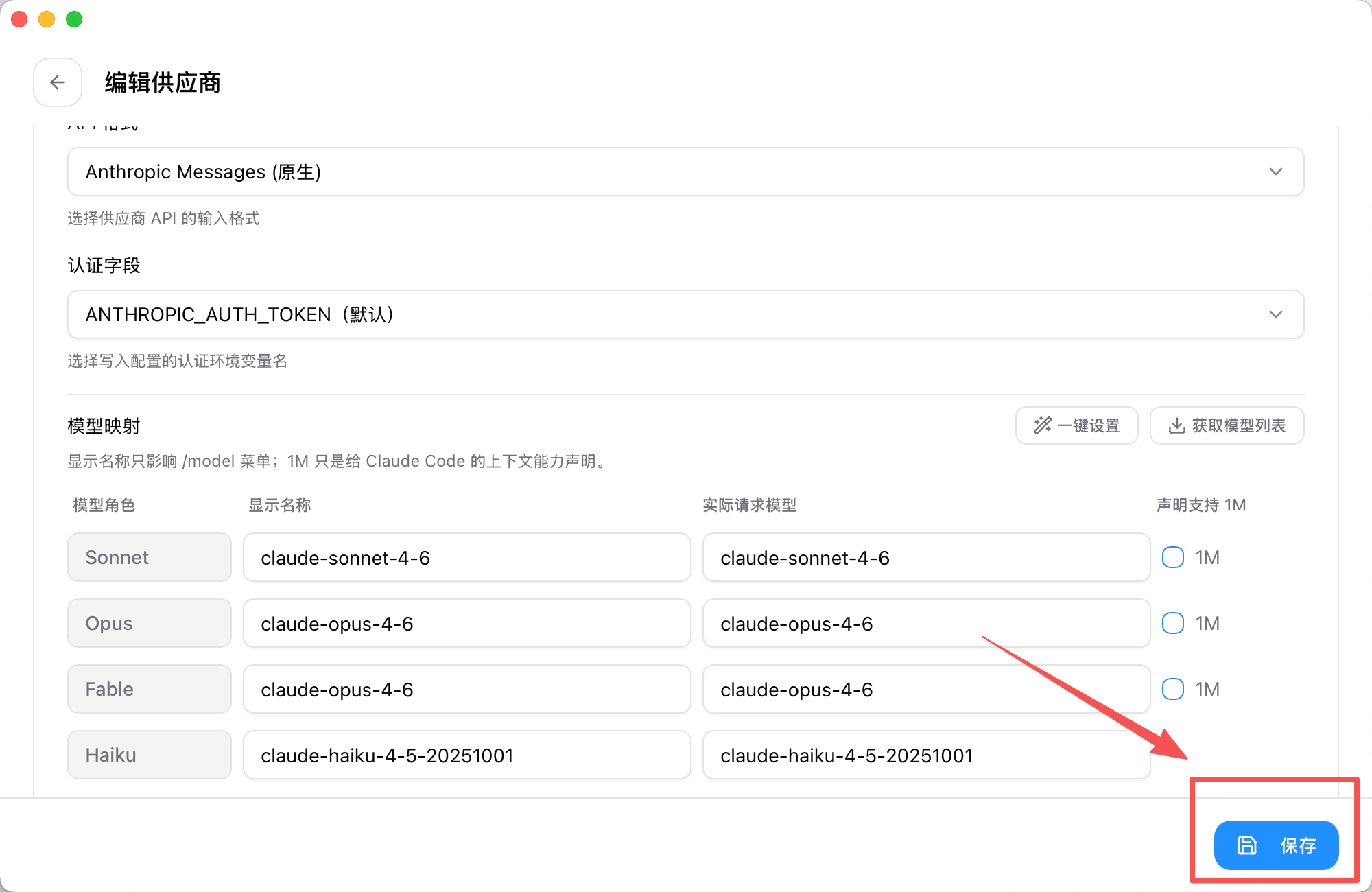
7.点击保存
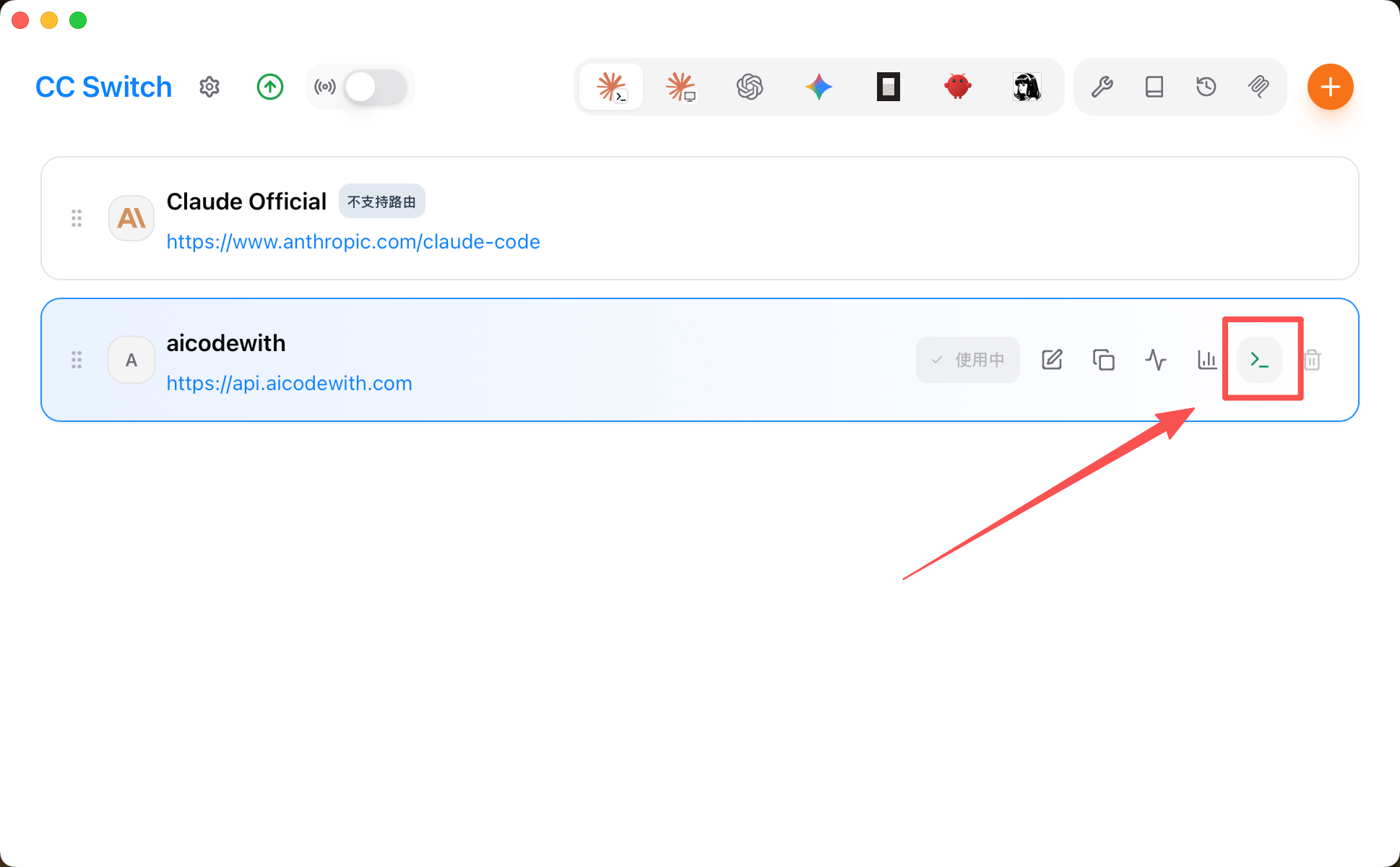
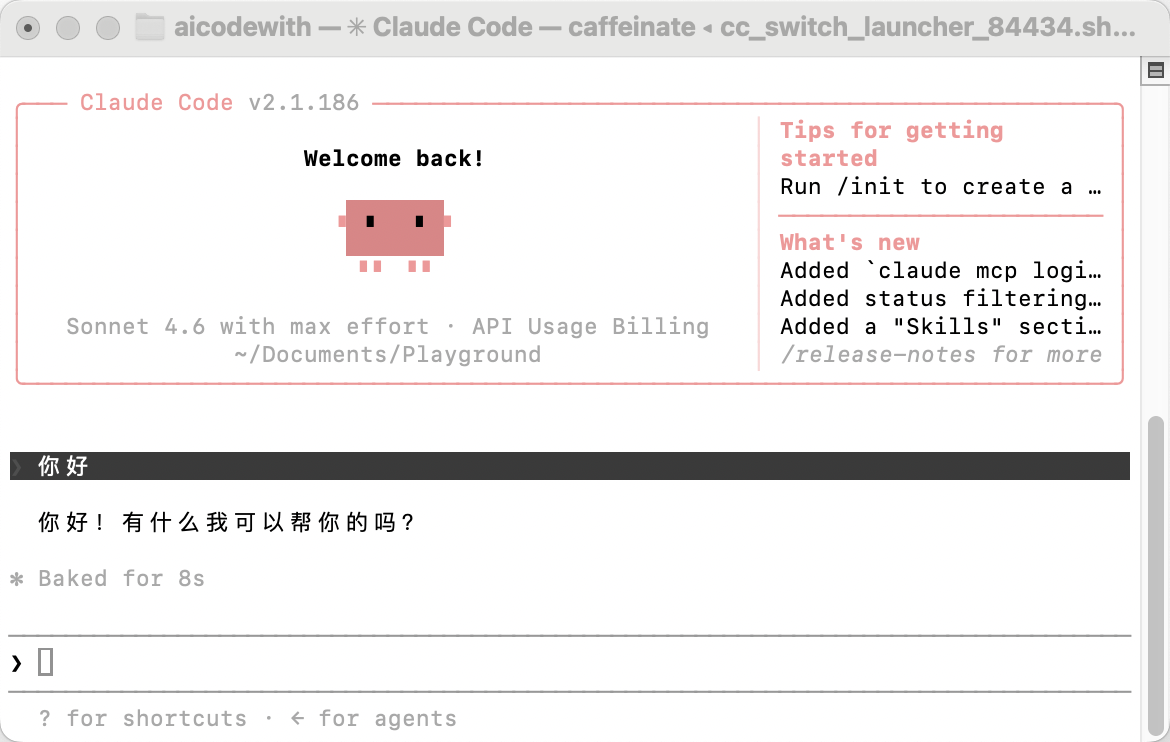
8.测试使用,点击打开终端
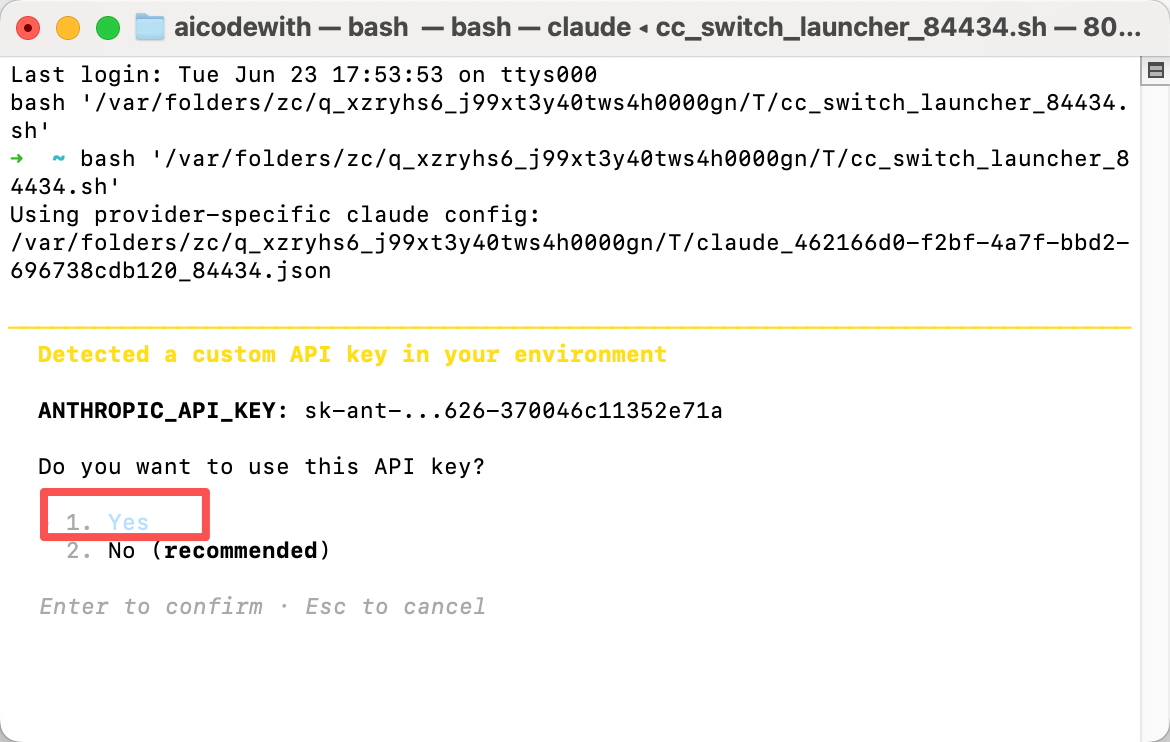
9.问你是否要用这个key,选择yes回车
10.测试使用
2.Codex
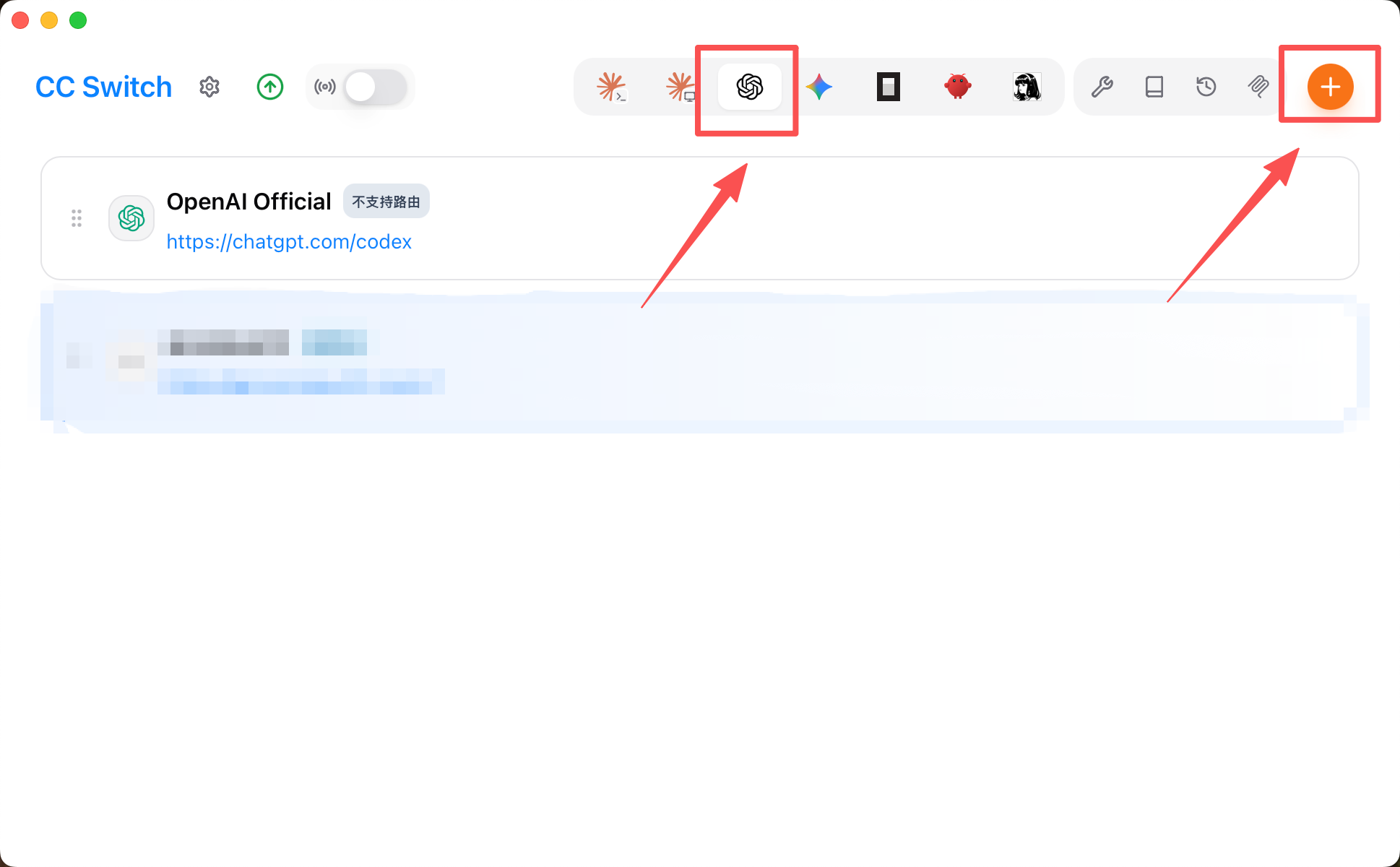
1.添加供应商
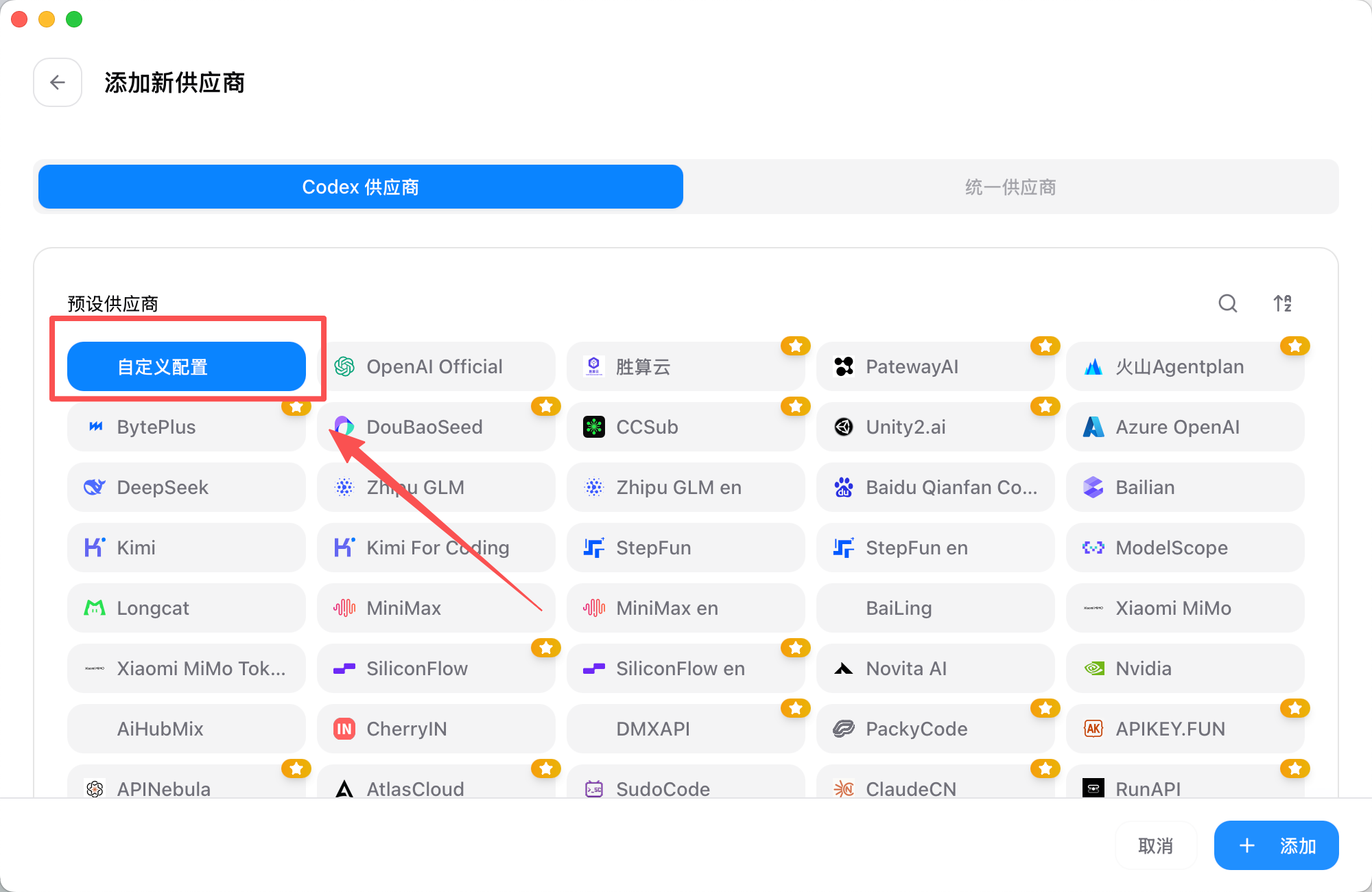
2.选择“自定义配置”
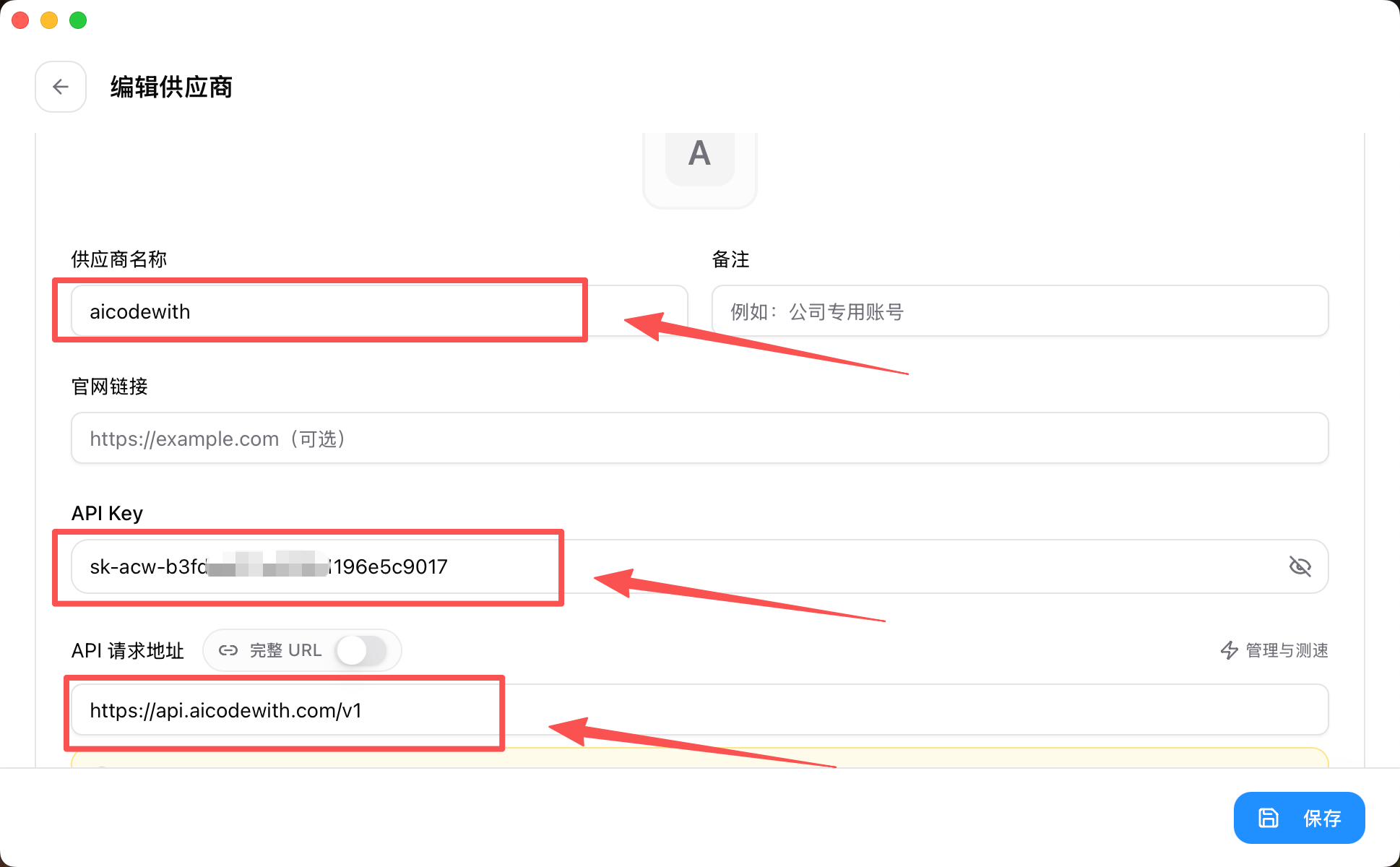
3.API key获取:https://aicodewith.com/zh/dashboard/api-keys
URL:https://api.aicodewith.com/v1
供应商名称:aicodewith
注意API key是如图样子的
去创建key https://aicodewith.com/zh/dashboard/api-keys
粘贴完整的key
4.高级选项
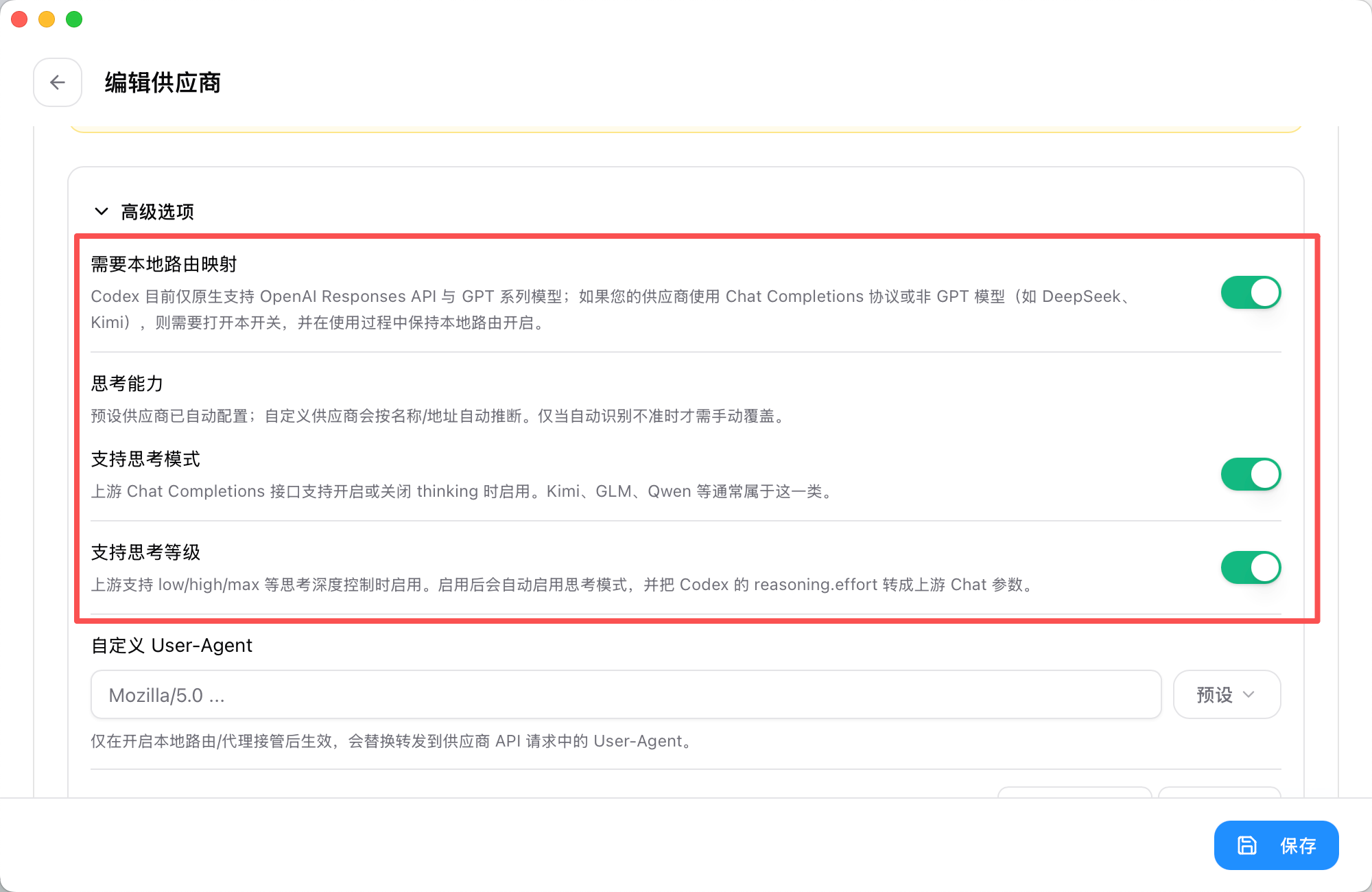
5.模型映射选择“获取模型列表”
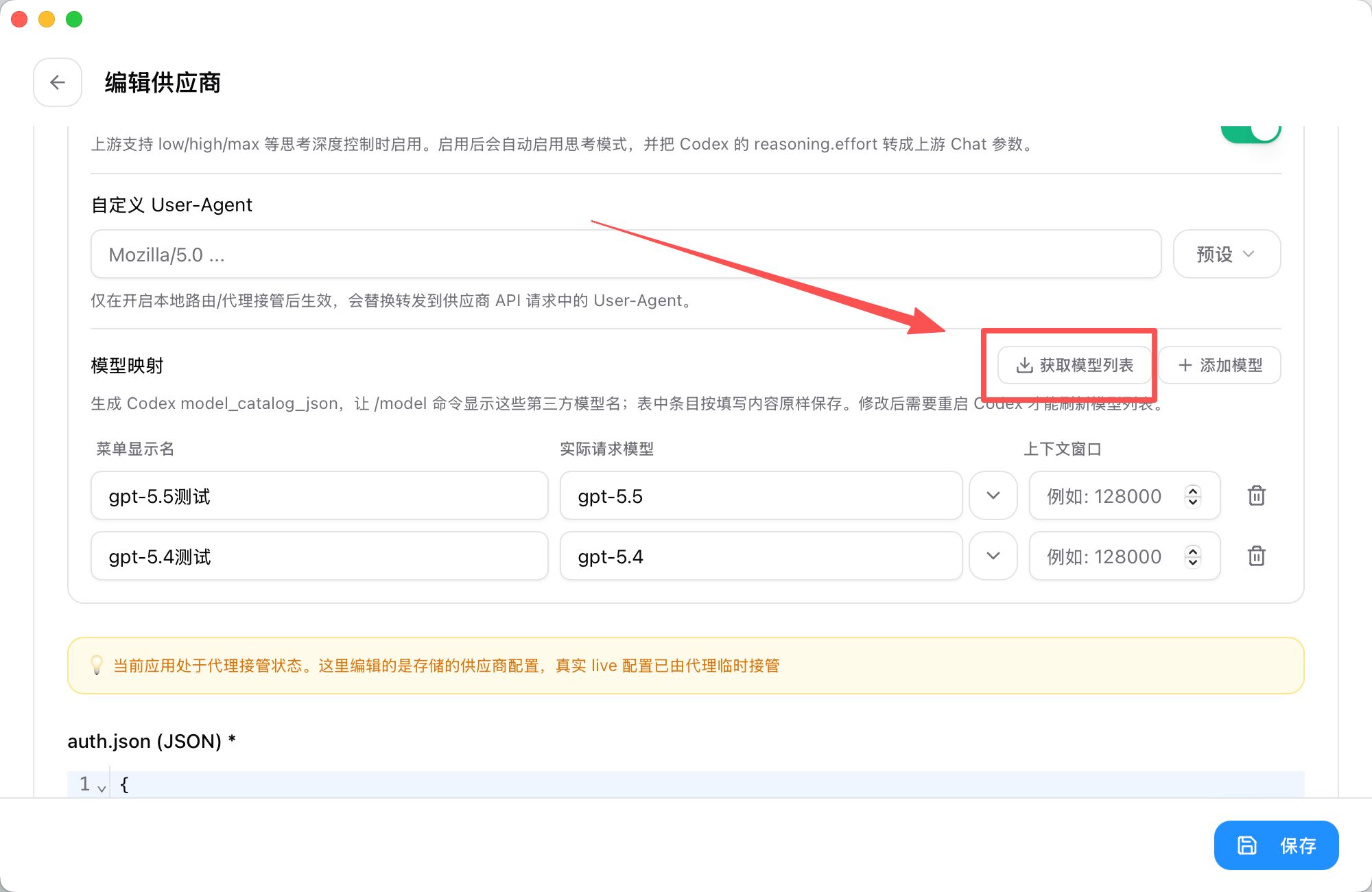
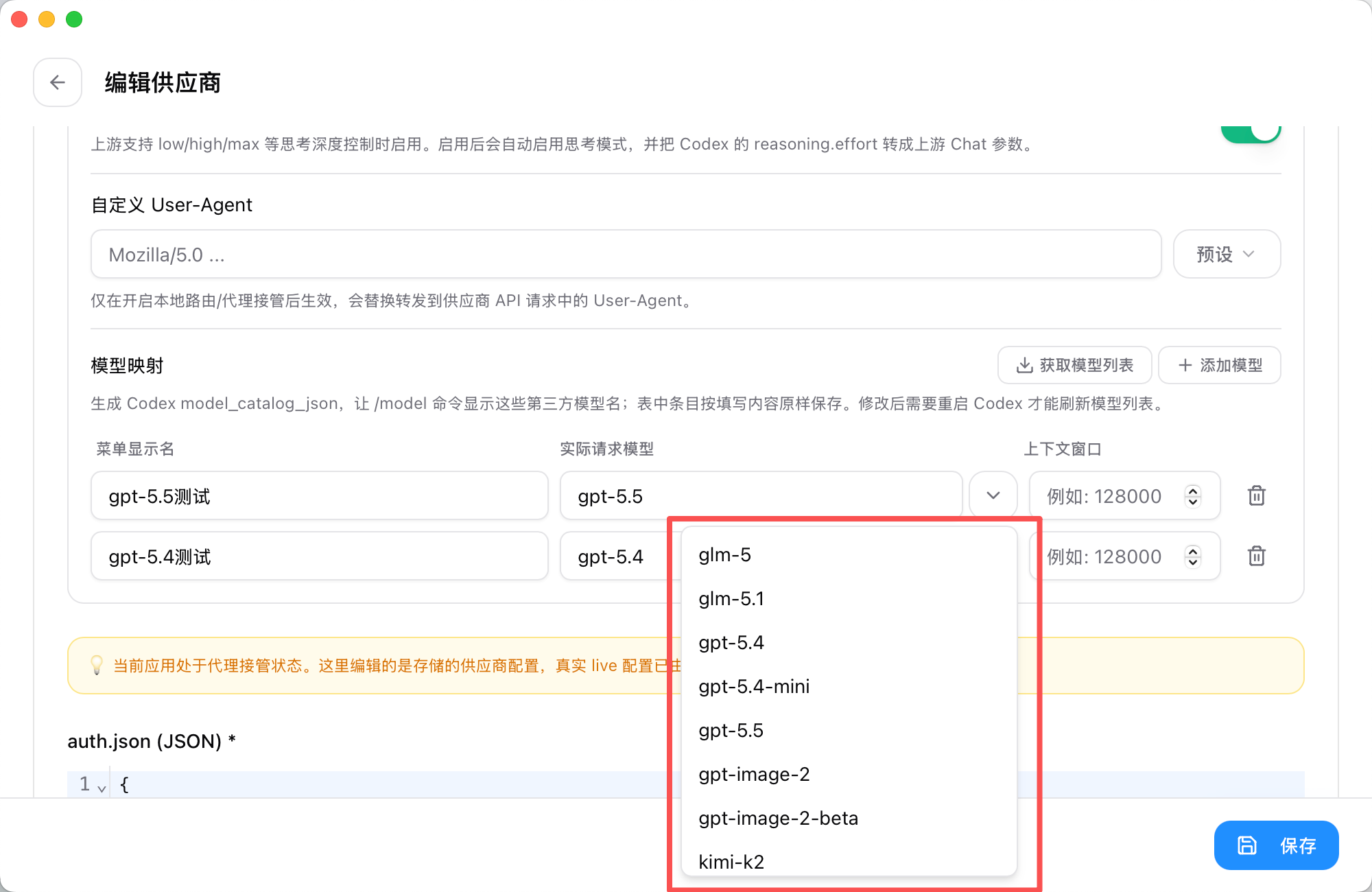
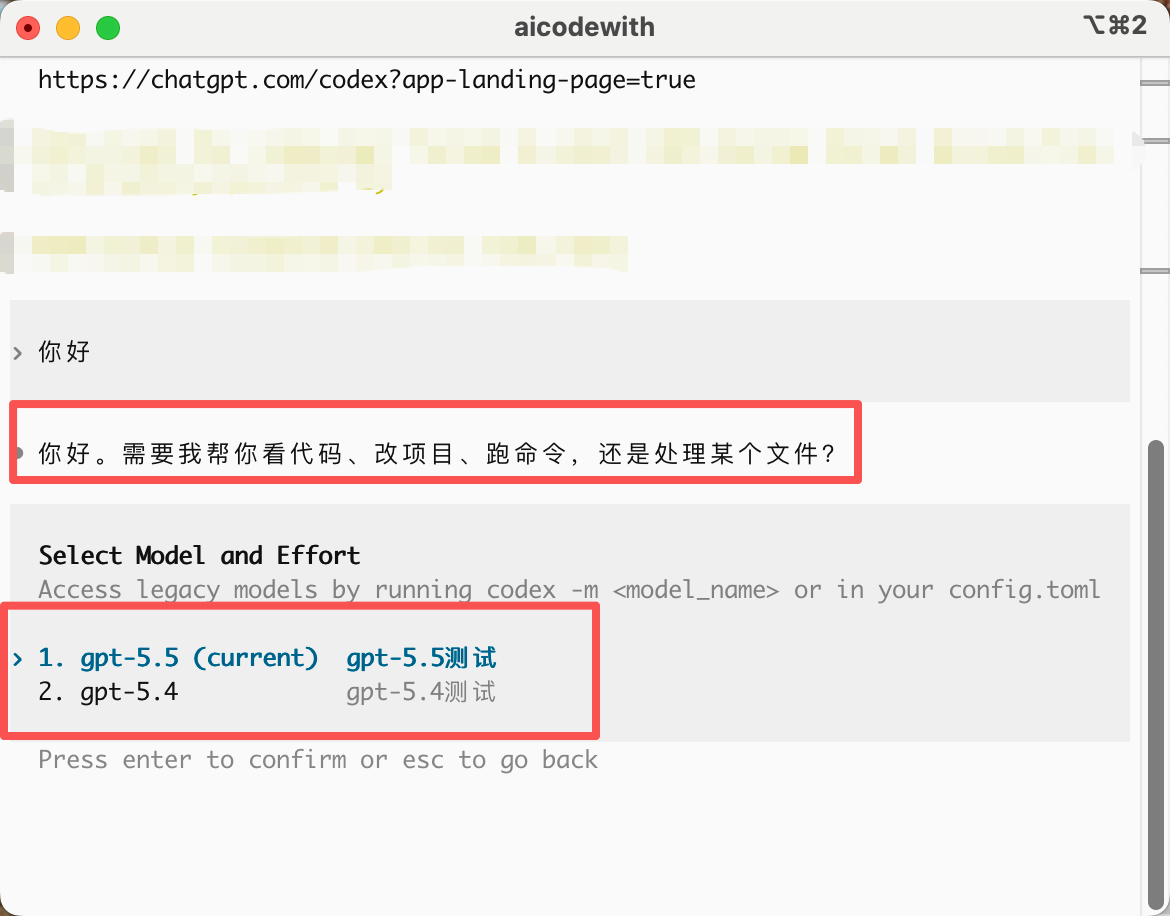
6.“实际请求模型”对应选择就好,“菜单显示名”不变或对应模型简称即可,我写的测试以方便后面对照查看
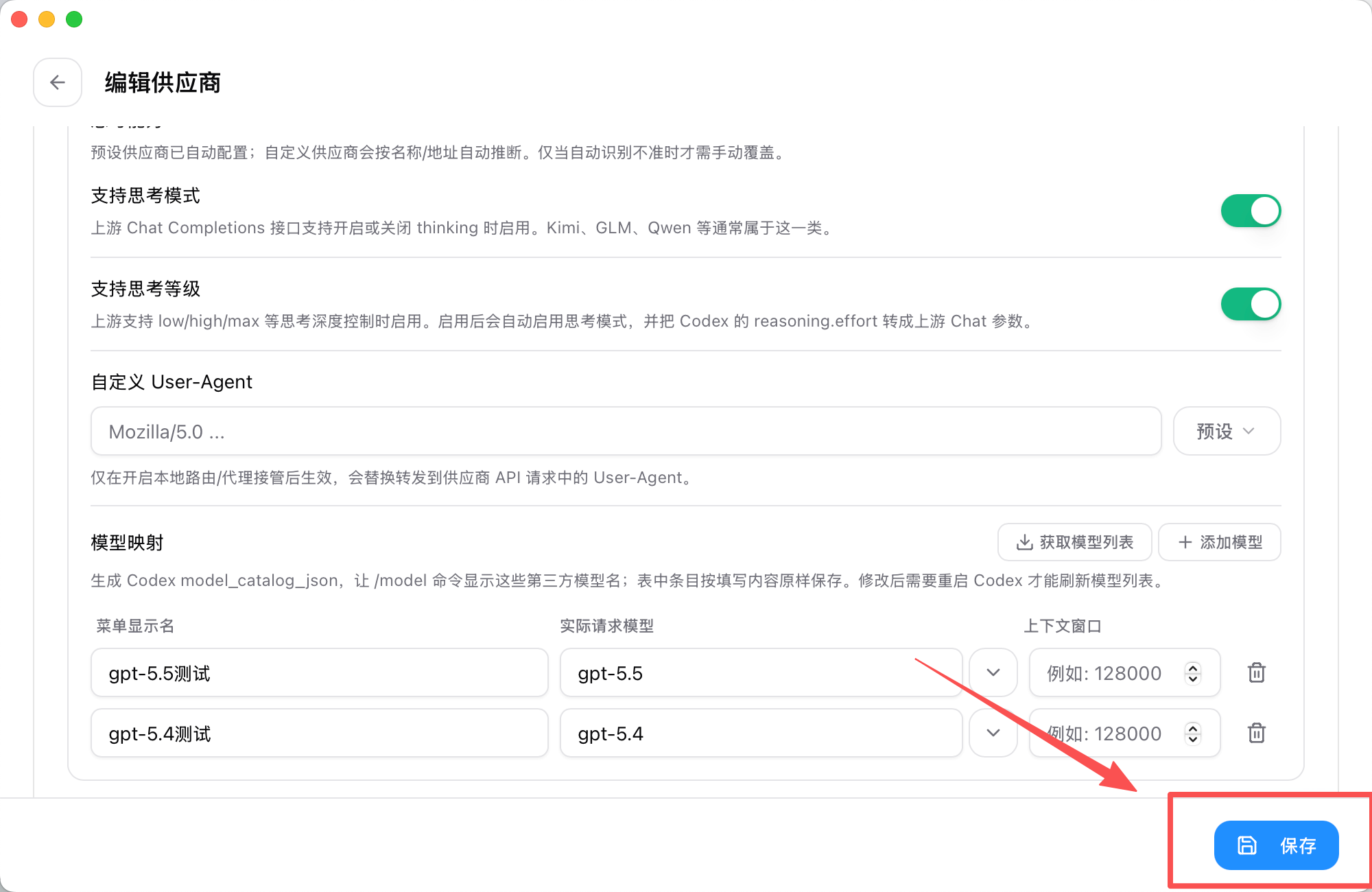
7.点击保存
8.测试使用
终端
Codex app